AEN banner

Main

Epcot Archives

July 10, 2007

Focus on Disney World - Donde esta Donald?

Donald Duck
Copyright © 2007 Barrie Brewer, Nikon D50/18-200VR, 1/200s shutter, f4.9

Say hi to Donald Duck, star of the new Mexico attraction “Gran Fiesta”. This was taken outside of the Mexico pavilion at Epcot where Donald was doing a meet and greet with park guests. In between posing with children Donald turned and gave me a quick wave. I was so glad I already had my camera focused on him.

Captain HookQuick Tip: When taking photos of characters, be sure to get some close-up shots. Try to fill the bulk of your frame with the character’s face. Be careful with your zoom though. It’s easy to lose important detail if you get too close.

This picture of Captain Hook would have been much better if I had gotten his hook in the picture. The photo of Donald works because I got some of his sombrero and colorful tunic in the frame to give context to the shot. When in doubt, take your shot at a slightly longer distance. You can always crop it tighter later.

July 13, 2007

Photographic Innoventions: Mechanics of Exposure

Click for Larger Image. Copyright © Scott Thomas Photography 2007
Cinderella topiary at Epcot's Flower and Garden Festival. Copyright © Scott Thomas Photography 2007
Nikon D70/18-200VR, 1/160s, f/11, 200 ISO, -0.3 EC, 18mm Focal Length

In digital photography, exposure is the total amount of light allowed to fall on to an image sensor. It's really quite simple even though there's a lot of science and engineering behind how your camera does it. I leave that to the engineers and enjoy the fruits of their labors.

In the time ahead, I will be going more in-depth into the photographic terms of exposure and how they effect our photographs. These terms are: Aperture, Shutter Speed, ISO (or Sensor Sensitivity) and Exposure Compensation.

Aperture is how wide the lens' iris is opened. Like your eye, a lens has an iris. You can tell how wide it is by the f-stop number. Those funny numbers you see on your lens or through your viewfinder often designated with an f/ in front of them. In the photo of a topiary taken during Epcot's Flower and Garden Festival, the aperture setting is f/11. The lower the number, the wider the aperture is and the more light is transmitted through the lens. Reciprocally, the higher the number, the less light comes through. Aperture controls the zone of focus or depth of field in your images and can be used in very creative ways.

Shutter Speed is how long the camera's shutter stays open to expose it's sensor to the subject being photographed. Most of the time it's just a short fraction of a second. The photo above used a shutter speed of 1/160th of a second. The dimmer the light, the longer the shutter speed is to get a well-exposed picture. Low light and night photography can sometimes take seconds or minutes to capture a scene. For fast action like children playing or theme park rides, you'll want to use fast shutter speeds like 1/500th or faster to capture the action. Playing with various shutter speeds is a lot of fun!

ISO is how sensitive your digital camera's sensor is to light. You want to use the lowest ISO you can to get shootable apertures and shutter speeds. The higher or faster, as it is referred to, ISO number, the more sensitive your sensor is to light. With a lot of light available, the topiary image was taken with an ISO of 200. As day turns into night, I will increase my ISO from 200 to as high as 1600. This does increase what's called noise (they look like little specs) into the images. Unlike film, the noise is not nearly as bad as film grain was and there are software products available, which can clean up most of the noise.

Exposure Compensation or Bias is a way for digital photographers to dial in their exposure. Most digital SLR and some advanced Point & Shoot cameras have an exposure compensation button which allows you to do slight adjustments to your cameras image sensor. Usually in one half to one third intervals, this little button can make the difference between an image with too light or too dark areas into a properly exposed gem. In this blog's photo, I made a slight -1/3 (or -0.3) adjustment to keep from over exposing or "blowing out" the light background behind the topiary.

For an excellent book on this subject, I highly recommend Bryan Peterson's Understanding Exposure which has been updated for digital photography.

July 18, 2007

Focus on Disney World - Hungry Anyone?

Norway Pastries
Copyright © 2007 Barrie Brewer, Nikon D50/18-200VR, 1/60s shutter, f5.6

I’ve had a wicked sweet tooth lately and I couldn’t resist posting this photo. These yummy looking treats are Cloudberry Horns. You can find them at the Kringla Bakery in Norway at Epcot. Those are Berry Tarts in the foreground. So far I’ve been satisfied to just photograph these pastries but I think I’m losing my will power. On my next trip I’m definitely going to have to see if they taste as good as they look.

Quick Tip: Some things just need to be photographed super close. I think food is one of those things. These pastries wouldn’t look nearly as tempting if you couldn’t see the sugar crystals and the lightness of the filling. Here’s a secret: My original photo was a bit bigger and further away from the goodies. I set my camera to the highest resolution possible. Then after taking the photo, I cropped it to get the look of a macro shot.

August 10, 2007

Photographic Innoventions: Light Sensitivity

Click for Larger Image. Copyright © Scott Thomas Photography 2007
Spaceship Earth. Copyright © Scott Thomas Photography 2007
Nikon D70/18-200VR, 1/10s, f/5.6, 1600 ISO, -1 EC, 135mm Focal Length

Many people have sent in questions about how to get good low-light and night photography pictures at Walt Disney World. The key is to get enough light to your digital camera's sensor to record a well exposed image. You can do this a couple of ways. Use a tripod and increase the shutter speed or increase your camera's sensitivity to light. The higher the ISO setting, the more sensitive the sensor becomes and less light needed to record an image. Instead of using a tripod at ISO 100, you can dial in a higher setting like 400, 800 or 1600 and get a faster shutter speed. Thus, letting you hand hold in low light or in getting fast action shots like themepark rides, children playing or sporting events.

Epcot's Spaceship Earth is a favorite subject of many photographers during the day but, at night, the geodesic sphere takes on a surreal quality. To successfully show this, I increased my ISO setting to 1600. This is the highest my camera, a Nikon D70, can go. There are digital cameras today that go as high as 3200 ISO. I still needed a steady hand, propped elbows on a fence and a vibration reduction lens to shoot at 1/10s. To increase my chances of getting a great photo, I took a series of them with this being the best of the lot.

Shooting at such high ISO settings does bring about an increase in noise. Noise looks like color speckles and is noticed in uniform colors like the black sky in the Spaceship Earth photo. While it is a concern in digital photography, noise is a lot less apparent then with high ISO films. Those would show large grain in the processed prints. There are many software products available to reduce any noise which does creep into our photos.

Obviously, the less noise the better so, the lower the ISO, the finer the images your camera will produce. Check out your camera's manual to see how you can change the ISO and how high and low the settings are.

Quick Tip: Some digital cameras have an Auto ISO Setting. My Nikon D70 does and it allows me to let the camera pick the best ISO for the available light. This comes in handy as the light changes throughout the day into night or going in and out of buildings and rides at Walt Disney World.

August 23, 2007

Focus on Disney World - Train Village

day 2 faves (60)
Copyright © 2006 Barrie Brewer, Nikon D50/55-200

With of all the amazing rides and attractions that fill the Disney Parks, it’s easy to miss some of the less spectacular displays. Here’s one that I always find myself stopping for. Just outside of Germany in the World Showcase area of Epcot is a really cute miniature train village. It’s easy to miss this sweet little display if you’re trying to fit in as much as you can. But outside of Disney, this village would be an attraction all on its own. The next time you visit Epcot check it out.

Quick Tip: When taking a photo of something close to ground level, including children, try to get as close to the level of your subject as possible. Your pictures will look better if you are not shooting down at your subject. I always find it better to rest one knee on the ground for added stability. Now, if anyone has tips for gracefully getting back up from this position, I’m all ears!

September 6, 2007

Focus on Disney World - Illuminations

Fireworks from Japan
Copyright © 2003 Barrie Brewer, Nikon E3100

One of the things Disney does best is put on a spectacular fireworks show. This photo, although not one of my best, has always been one of my favorites. It’s a photo of the Illuminations fireworks show at Epcot, taken from the upstairs deck outside of Teppanyaki restaurant. I took this with a point and shoot camera on the automatic/normal setting. I used the deck railing to steady the shot. At the time, I had no idea how to take good photos of fireworks. Basically I just clicked away, hoping something might come out. This was my one lucky shot out of about twenty.

One of the questions asked most often on photography forums is “How can I take great fireworks shots?” This summer I learned that it’s actually not that hard if you follow a few simple guidelines.

1. Pick a good location to shoot from. Choose a spot that is upwind from where the fireworks will be set off so that the smoke blows away from you and out of your photograph. Remember that the fireworks will explode high in the sky, so be sure to look up when choosing your spot. Make sure that your view will not be blocked by trees, buildings or giant torches – although thoughtfully incorporating some things (like the torii gate above or a child on dad’s shoulders) will create a nice composition.

2. Use a tripod. It’s the only way to be sure you will get a sharp picture. Even better, combine the tripod with a remote shutter release.

3. Turn your flash off. The only thing it's going to light is the back of the head of the person in front of you - not exactly the effect you're going for!

4. Use the right settings. If you have a point and shoot with a fireworks setting on your camera, use that. If not, set your camera to landscape. If you can manually set your camera, the following settings are a good place to start: ISO 100, 2-3 second shutter, aperture f8-f16.

5. Take lots of photos. After the first few, take a look to make sure you’re getting what you want. Now enjoy the show!

I used these guidelines to take photos of the fireworks on the 4th of July this year. I was so pleased with the results. Finally, I have fireworks shots that I'm proud of. I can’t wait for my next trip to Disney World to photograph Wishes and Illuminations.

September 21, 2007

Photographic Innoventions: Look Up!

Click for Larger Image. Copyright © Scott Thomas Photography 2007
The Crown and Crest store in Epcot's United Kingdom pavilion. © Scott Thomas Photography 2007
Nikon D70/18-200VR, 1/15s, f/3.5, 450 ISO, +1 EV, 18mm Focal Length

While "researching" family crests and name histories in the United Kingdom's Crown and Crest store in Epcot, I suddenly remembered the old Walt Disney themepark fan's adage, "Look Up!". I was rewarded with the view you see above of multicolored flags depicting family crests from Ol'England hanging from the wooden rafters.

Did you know most pictures are taken about five to six feet off the ground or eye level of most people? While I was standing for this photograph, many times after taking an initial photograph, I pause and think how I can make it better. Would a different angle help? What if I move closer? Or farther away? Would getting down on my knees or belly give the picture more impact? How about from above? Is it possible to come back at another time of day when the sun is low or at night?

Now, I do know it is very hard to do this at Walt Disney World with the crowds, kids in tow or rushing to get to a scheduled show or dining reservation. However, I encourage you to practice this exercise with subjects around your home, neighborhood or anywhere you have your camera with you. Thankfully, Disney Imagineers make it easy and all you need to do is look up...

Click for Larger Image. Copyright © Scott Thomas Photography 2007
Flags blowing in the wind above the Maharajah Jungle Trek in Animal Kingdom. © Scott Thomas Photography 2007
Nikon D70/18-200VR, 1/250s, f/8, 200 ISO, -0.3 EV, 75mm Focal Length

September 23, 2007

Focus on Disney World - Where in the World? #7

This was Challenge #6:
Where in the World #6

And here's the answer:
Toy Store Sign
Copyright © 2007 Barrie Brewer, Nikon D50/18-200VR, 1/60s shutter, f4.8

Many people guessed Small World for this challenge. I can see why, but it’s actually from the United Kingdom toy store in Epcot. Congratulations to Stacey Van Dyke for being the first to send in the correct answer.
_______________________________________________________________________

Challenge #7: Where in the world is this?
Where in the World #7

Do you know? Do you have a guess? Send in your answer by clicking on the comments link below this post.

September 28, 2007

Photographic Innoventions: Google's Picasa

Google's free photo editing software, Picasa, is a simple to use way to enhance, clean up or fix your digital photographs. I have been impressed with what I have learned in the few days I have used Picasa. It has given me a way to fix some high contrast images I took during this year's International Flower & Garden Festival at Epcot.

As most of you are aware, the midday Florida sun is very bright. When I came upon the Donald Duck and Pluto pirate topiaries at the entrance to World Showcase coming from Future World, it was around three in the afternoon. My first attempts had Donald and Pluto well exposed but the bright sky and clouds were blown out. The clouds looking more like unnatural white bloobs due to overexposure. Using the exposure compensation button on my camera, I adjusted it down to -1.3 EV before the sky and clouds became correctly exposed. Unfortunetaly, due to the extreme difference or contrast in the brightness of the sky and the topiaries, Donald and Pluto were now underexposed. In digital photography, it's best to expose for the brightest parts of the scene which is what I did in the photo you see below.

Click for Larger Image. Copyright © Scott Thomas Photography 2007
Donald Duck and Pluto topiaries before editing. © Scott Thomas Photography 2007
Nikon D70/18-200VR, 1/160s, f/13, 200 ISO, -1.3 EV, 18mm Focal Length

I'm sure you can see why I might toss this image into the trash bin. However, I had downloaded Picasa and had been learning it's capabilities. Maybe I can fix it! With a gleam in my eye, I launched Picasa and went about the task of throwing some added light on to Donald and Pluto.

Picasa has two elements to it. First is the Library which catalogs all your images on your Window's based PC (as of this writing, Picasa does not have a Mac OSX or Linux version available). You scroll through all your images on the right side of the Library's window. On the left you can set up virtual folders and see the aging of other photos by folder. You can watch slideshows, email, print and upload to Picasa Web Albums from the Library.


Double clicking on an image brings it into the Picasa Editor. On the left side, you see Picasa's tools with three tab views entitled Basic Fixes, Tuning and Effects. For my pirate topiary photo, I started out by adding some Fill Light in the Basic Fixes tab, moving the slider to the right until the detail in both Donald and Pluto could be seen clearly. This kept most of the detail in the sky and clouds without blowing them out. For this image, I didn't need any of the Tuning tools and skipped right to the Effects tab. In adding fill light, some of the color of the flowers at Donald's feet got a bit washed out or dull looking. I used the Saturation tool on the Effects tab to bring the color back. Don't overdo this effect unless you want a really cartoonish look to your photo. I applied just a bit here. As you'll read in most photo editing books, I applied sharpening as the last step in the photo editng process. Here again, you don't want to give it too much or the photo looks unreal. I clicked on the Sharpened tool just once.

Click for Larger Image. Copyright © Scott Thomas Photography 2007
Donald Duck and Pluto topiaries after editing in Picasa. © Scott Thomas Photography 2007

All done! What do you think? For a free photo editor, Picasa did an excellent job. Oh, and another thing, when I saved the edited version, Picasa saved my original in a separate folder. Picasa is far from PhotoShop but you can't beat the price for such an easy and useful photo editing tool.

Further Reading: I have only shown you a bit of what Picasa can do. Google's Online Tour of Picasa goes into much more detail than I have room for here.

October 2, 2007

Focus on Disney World - Composition

Floating Flower Bowls
Copyright © 2007 Barrie Brewer, Nikon D50/18-200VR, 1/250s shutter, f5.7

Most of us take a lot of snapshots when we are on vacation – quick photos of our traveling companions standing in front of their favorite attractions. We’re happy when we catch them with their eyes open or a smile on their face. Then we get home and realize that all of our photos look pretty much the same: there’s Barb and the kids in front of the castle… there’s Barb and the kids in front of Morocco… that’s the kids with Barb in front of Star Tours… oh, there’s me and the kids in front of Expedition Everest… hmmm, what’s that… I can’t quite tell, but it must be Barb and the kids!

Have you ever looked at some people’s vacation photos and felt like you could just walk right into the picture, almost as if you were there yourself? How is it that some pictures are so fun and interesting to look at? Some people seem to have a real knack for taking great photos. Well, you don’t have to be a professional photographer or have any fancy equipment to take photos that stand out from the typical tourist shots. People who take good photos just know how to compose them in a way that makes them interesting for others to view. There are people for whom this comes naturally, but for most of us it’s a simple matter of knowing a few composition techniques.

Over the next few weeks I’ll show you how, with very little effort, you can take photos that look like they were taken by a pro. You won't necessarily want to use these tips on every photo you take. After all, those fuzzy, crooked pix of droopy-eyed relatives in front of Tower of Terror make us smile! But it is fun to experiment and it doesn’t hurt to have a few tricks up your sleeve to mix things up a bit.

Quick Tip: Although there are many techniques for composing a photo, there is no right or wrong way to do it. Don’t get too caught up in trying to follow the rules of composition. The photo above was taken at the Flower and Garden Festival at Epcot last May. I didn’t use any particular technique to take it. All I did to compose this shot was move around, looking through my viewfinder until I liked what I saw. I wanted to capture the contrast between the circles created by the flower pots and the stripes created by the light in the water. When I got those two things lined up in a way that was pleasing to my eye, I snapped the photo.

October 9, 2007

Focus on Disney World - Germany

Germany at Night
Copyright © 2006 Barrie Brewer, Nikon D50/55-200, 0.8s shutter, f4.8

I think I’ve mentioned this before - night photos are my favorite, especially from Disney World. This is Germany from the World Showcase in Epcot. I think Epcot is the most beautiful place after dark. I always try to make sure I am as far from the exit as possible at closing time!

Quick Tip: I recently heard someone say that they know their camera so well that they are able to use every function in the dark. I’m working on it but I’m a long way from being able to do that! In the meantime, I carry a small LED flashlight in my camera bag to help me see the controls on my camera at night.

I’ve been through three different flashlights and finally found one that works for me. The first two had buttons on the side of the flashlight that kept turning on by themselves. The one I have now has a button on the end, similar to a click type pen. It takes a bit of effort to press it on so I don’t have to worry about it illuminating the inside of my camera bag.

October 14, 2007

Focus on Disney World - Where in the World? #10

This was Challenge #9:
Where in the World #9

And here's the answer:
Canada Totem Pole
Copyright © 2007 Barrie Brewer, Nikon D50/55-200, 10/5000s shutter, f5.6

This Hidden Mickey is on one of the totem poles outside of Canada in the World Showcase area of Epcot. Do you see it? Jacquelyn Law did and she was first to let me know. Congratulations Jacquelyn, you're this week's winner!

For more Hidden Mickey fun be sure to check out Steve Barrett’s blog here on AllEarsNet.
_______________________________________________________________________

Challenge #10: Where in the world is this?

Where in the World #10

Do you know where this is? Do you have a guess? Send in your answer by clicking on the comments link below this post.

November 2, 2007

Photographic Innoventions: Rule of Thirds

The Rule of Thirds is a compositional rule in photography and other visual arts. The rule states that an image can be divided into nine equal parts by two equally-spaced horizontal lines and two equally-spaced vertical lines. The four points formed by the intersections of these lines can be used to align features in the photograph. This aligning of a photograph's subject with these points creates more tension, energy and interest in the photo than simply centering the subject would. However, like the Pirate's Code, the Rule of Thirds is more like a guideline than an actual rule.

Below is a photograph of Off Kilter's Bassist, Mark Weldon, where I am showing you how the Rule of Thirds applies. (Note, it's not exact as I hand drew in the lines but it's close enough for our purposes.) Notice in three of the four intersections there are strong subjects close by: Mark's tilted head in the upper left and both his hands in the lower two.


Rule of Thirds.

Many people feel the application of the Rule of Thirds turns everyday snapshots into professional looking photographs. I know as I edit my photos, the ones which follow this rule stands out above ones that don't. Especially, when taking pictures of people. For instance, we've all taken pictures of a person or group of people in front of the Magic Kingdom's entrance with the train station and flowers in the exact center of the Mickey symbol. I am guilty of this. Next time, try composing the people in one of the lower intersection points. I think you'll find the photographs will appeal to you more.

Another popular mistake people make is putting the horizon right in the middle of their picture. Effectively disecting the image in two. You should try to put the horizon at either the upper or lower third of your viewfinder when composing.

By practicing the Rule of Thirds, you'll find yourself thinking a bit before pressing the shutter. Recomposing in the viewfinder or retaking an image after looking at the photo you just took. The fun of digital photography is how easy and fast it is to learn to take better pictures. Another fun project is to review past photos which you thought were okay, crop them using the Rule of Thirds and see, if by doing so, makes them better.

Now, I think I owe Mark and all of you an unobstructed look as I captured him jamming to a Celtic tune during my last trip to Walt Disney World. Off Kilter can be seen several times a day at Epcot's Canadian pavilion when scheduled to perform. Check the link for more information about the band and their schedule.


Off Kilter Bassist, Mark Weldon.
Nikon D70/18-200VR, 1/60s, f/5.6, 200 ISO, 0 EV, 200mm Focal Length

November 4, 2007

Focus on Disney World - Where in the World? #13

This was Challenge #12:
Where in the World #12

And here's the answer:
French Acrobat
Copyright © 2007 Barrie Brewer, Nikon D50/18-200VR, 1/500s shutter, f8

Everyone’s a winner! There were more responses than ever to this week’s challenge and everyone knew that the photo was taken in front of the France Pavilion in Epcot. Jennifer Snapp was the first one to send in her answer and she was the first person who provided the name of this French acrobat team, Serveur Amusant. Congratulations Jennifer!

You will need to be very specific with the location of this next photo in order to win. Are you up to the challenge?
_______________________________________________________________________

Challenge #13: Where in the world is this... exactly?

Where in the World #13

Do you know? Do you have a guess? Send in your answer by clicking on the comment link below this post.
_______________________________________________________________________

New this month - real prizes! Everyone who sends in a correct answer to a Where in the World challenge this month will be entered in a drawing at the end of the month for a a copy of Hidden Mickeys Walt Disney World by Steve Barrett and some special AllEars® goodies! No more lurking out there - if you think you know the answer, be sure to send it in so that you don't miss out on your chance to win something very cool!

November 11, 2007

Focus on Disney World - Where in the World? #14

This was Challenge #13:
Where in the World #13

And here's the answer:
Rose and Crown Patio
Copyright © 2007 Barrie Brewer, Nikon D50/18-200VR, 1/1000s shutter, f8

Kudos to Tim Wingfield! He did some very creative detective work and was the first to come up with the right answer. This torch is between France and the United Kingdom in Epcot’s World Showcase.

Tim wasn’t the only person with a correct guess though. Lori Bennett also knew the location of this week’s challenge and will be entered in the drawing for Steve Barrett’s Hidden Mickey book and some other AllEars goodies at the end of this month!

I have a feeling that Challenge #14 might not be as difficult. If you think you know this one, send your answer in quickly.
_______________________________________________________________________

Challenge #14: Where in the world is this?

Where in the World #14

Do you know? Do you have a guess? Send in your answer by clicking on the comment link below this post.

November 25, 2007

Focus on Disney World - Where in the World? #16

This was Challenge #15:
Where in the World #15

And here's the answer:
Italian Newel Post
Copyright © 2006 Barrie Brewer, Nikon D50/55-200, 10/2500s shutter, f10

Christina Romano is this week’s challenge winner. Way to go Christina! With the help of her sister, Jessie and her dad, Nick, Christina was the first to let me know that this sculpture resides in Italy at Epcot’s World Showcase. This is one of those really cool details that is so easy to walk right past without noticing. It’s the top of the newel post on a staircase outside of Tutto Italia Restaurant.

Here’s another photo that shows the location a little better. The restaurant is located to the right of the staircase.

Staircase
Copyright © 2006 Barrie Brewer, Nikon D50/18-200VR, 1/60s shutter, f5

Congratulations to Melanie Sicard, Cheri Fitz, John Ames, Chloe, Garland Cox, Jody LaFerriere, Erica Adkins, Brooke Kern, Lisa F, Joan Bertini, Melissa Potter, Marsha Margerum, Melanie Sicard, Angelique Williams, Douglas Cotler, Bob Eldridge, Jill Greer, Christina, Nick and Jessie Romano. All of you will be entered in the November winner's drawing.
_______________________________________________________________________

Challenge #16: Where in the world is this?

Where in the World #16

Do you know? Do you have a guess? Send in your answer by clicking HERE!

_______________________________________________________________________

Everyone who sends in a correct answer to a Where in the World Challenge this month will be entered in a drawing at the end of the month for a a copy of Hidden Mickeys Walt Disney World by Steve Barrett and some special AllEars® goodies!

No more lurking out there - if you think you know the answer, be sure to send it in so that you don't miss out on your chance to win something very cool!

November 30, 2007

Photographic Innoventions: Photo Cropping

Monarch Butterfly. Copyright© Scott Thomas Photography 2007

In the days of film, it was expensive and time consuming to go about cropping photos. With digital photography that is no longer the case. Even the most rudimentary photo editing software will let you crop. While it's easier to "crop" in the camera, it's not always possible. The only restriction is the size of the digital image where if you crop too much, the size of the image becomes too small.

So, why do we need to crop? Sometimes we want to adjust an image to use the Rule of Thirds, eliminate unwanted parts caught around the subject or enlarge a subject to bring it front and center. Keep in mind, cropping is NOT resizing the entire image but taking a part of the image to make a better photo.

In Minnie's Magnificent Butterfly Garden, I took this photo of the Monarch Butterfly (Danaus plexippus) during Epcot's Flower and Garden Festival. The original you see above is a bit too centered so I wanted to change the orientation from a landscape to a portrait and make the butterfly even more the main subject. To do this, I used a photo editor to select a 5x7 crop size and rotated to make it a portrait then aligned it as you see below.


Monarch Butterfly. Copyright © Scott Thomas Photography 2007
Nikon D70/18-200VR, 1/250s, f/8, 200 ISO, -0.7 EV, 170mm Focal Length

Further Reading: Cropping Photos :: Every Picture Tells a Story

December 9, 2007

Focus on Disney World - Where in the World? #18

This was Challenge #17:
Where in the World #17

And here's the answer:
Living Seas
Copyright © 2007 Barrie Brewer, Nikon D50/18-200VR, 1/500s shutter, f13

You’re going to have to get up early to beat the Romano family! Once again, Christina, Nick and Annette Romano have won this week’s challenge. Christina was first to let me know that this cute little fish lives on the outside of the Living Seas with Nemo building in Epcot’s Future World.

Congratulations also go out to Mary, Christina Cella, Chris Burns, Brooke Kern, Kari Svinarich, Emily Rennie, Shannon Milair, Heather Lyons, Blair McGee, Amiee Stooksberry, Belicia Dawson, Jennifer Bourg, Amanda Campbell, Anne Hainsworth, Willie Tople, RR Martin, Lisa Simons, Paula Potts, Charlotte, Shiraz Biggie, Trish Babler, Jennifer Horst, Ken Fischler, Carinne, Karen Schlumpf, Anderson Dun, Judy Koslowski, Melissa Littman, Katie Poole, Erica Adkins, Erin, gshaw7, Austin O'Blenis, Collee Dubin, Nancy Ahlsen, Deborah Shauan, Richard Uhler, Jennifer Lalli, Kelly Jean Clarkson, Cathy Adams, Melissa Wheeler, Matt Cofone, Jude Toups, Brittany Irish, David Hicks, Angie Volluz, Monica Alderman, Cheri Fitz, Jennifer Dye, Jane Bradley, Darlene Harmon, Vicki Vaught, Tim Rachuba, Catherine Chiarello, Charissa Banks, Betsey Pickard, Debbie Hudson and Sharon Pierce. All of you also gave the correct answer and will be entered in the December winner's drawing.
_______________________________________________________________________

Challenge #18: Where in the world is this?

Where in the World #18

Do you know? Do you have a guess? Send in your answer by clicking HERE!
_______________________________________________________________________

Everyone who sends in a correct answer to a Where in the World Challenge this month will be entered in a drawing at the end of the month for a copy of Hidden Mickeys Walt Disney World by Steve Barrett and some special AllEars® goodies!

December 14, 2007

Photographic Innoventions: Hats Off to More Disney Props


Last month I did an entry on Props at Walt Disney World and asked people to send in their favorites. By far the most popular ones where all the different and fun hats you find in shops throughout the resort. As an example, my daughter is trying on a very patriotic hat in The Chapeau, a hat shop on Magic Kingdom's Main Street. This shop can monogram almost any hat and, of course, Mickey Ears for you while you wait. Hats found in World Showcase are a big hit with our Photo Blog readers from French Berets, Sombreros in Mexico, Coolie hats in China to Homburg style hats in Germany. The little outdoor shop at Rafiki's Planet Watch in Disney's Animal Kingdom has all kinds of safari hats. My daughter just had to model one for me.


Safari hat. © Scott Thomas Photography 2007
Nikon D70/18-200VR, 1/60s, f/4.5, 200 ISO, -0.3 EV, 40mm focal length

Other popular suggestions for props was RC Car from Toy Story at the All Star Movies resort, the larger than life Troll in Norway's Puffin's Roost shop, a Cinderella statue at the Marketplace in Downtown Disney similar to Buzz Lightyear I mentioned in the first Disney Prop entry and the Mickey sculpture at the Contemporary resort with Mickey ears perfect to sit kids in.

Would like to continue this topic so if you have a favorite Walt Disney World prop, I'd like to hear about it! Just leave a Comment using the link below.

December 25, 2007

Focus on Disney World - A Holiday Gift

Season's Greetings! I hope everyone is having a wonderful time with your loved ones. I have a gift to share. I hope you like it. The gift is a monthly calendar for the new year. Each month I will post a photo calendar page for the next month that you can print out and use at home or work. It's just a little bit of pixie dust to brighten the days before your next trip.

You will need to have Adobe Reader on your computer to download the calendar(s). Just click on the photo to download the calendar you want.

This one prints out at 8.5" x 11". It's handy if you need a calendar that you can write on.

January 2008 8.5x11


This one prints out at 4.75" x 4.75", the perfect size for a CD Jewel Case frame.

January 2008 Jewel Case


I took this fireworks photo at MouseFest this month. I was standing on the outside deck of Teppan Edo - one of my favorite places to capture Illuminations. I think this particular bit of fireworks was part of the Christmas tag at the end. It was spectacular.

Speaking of MouseFest - I have one more installment of photos to share with you. Watch for it later this week. Then it's back to my regular tips after the first of the year. Happy Holidays everyone!

January 20, 2008

Focus on Disney World - Where in the World? #24

This was Challenge #23:
Where in the World #23

And here's the answer:
Mexico Pavilion Detail
Copyright © 2007 Barrie Brewer, Nikon D50, 18-200VR, 1/125s shutter, f5.6

The Mexico Pavilion in Epcot’s World Showcase is the home of last week’s photo challenge. This is a close-up of a sculpture on the side of the building. Willie Tople was the first with the correct answer – way to go, Willie!

Congratulations also go out to Christina Romano, Evelyn Cowdell, Aruna Mohan, Brian G, Garland Cox, Laura Barnes, Tim Rachuba, Matt Taylor, Vickie Scioneaux, Allison DiBiase, Becky Sutton, Paula Chapman, Carrie Brenon, Barbara Zimdars, Melissa DeMonbreun, Suzie Marchetti, Kelli Vancil, Mike Stanilla, Noreen Rachuba, Ann Carr, Stacey Barboza, Jeff Warmington, and Patty Sautters. All of you also gave the correct answer and will be entered in the January winner's drawing.
_______________________________________________________________________

Challenge #24: Where in the world is this?

Where in the World #24

Do you know? Do you have a guess? Send in your answer by clicking HERE!
_______________________________________________________________________

Everyone who sends in a correct answer to a Where in the World Challenge this month will be entered in a drawing at the end of the month for a copy of Hidden Mickeys Walt Disney World by Steve Barrett and some special AllEars® goodies!

February 10, 2008

Focus on Disney World - Where in the World? #27

This was Challenge #26:
Where in the World #26

And here's the answer:
Grotesque
Copyright © 2007 Barrie Brewer, Nikon D50, 18-200VR, 0.4s shutter, f4.5

This sculpture is in the lobby area of the Impressions de France film in Epcot’s World Showcase. I've always thought that this was a gargoyle but I just learned that this replica of a stone carving from atop the Notre Dame in Paris is actually a grotesque. Grotesques were believed to ward off evil spirits.

A gargoyle has its roots in plumbing. A gargoyle is a grotesque that directs water away from a building via a spout in its mouth. Since this carving does not have a water spout, it is technically considered a grotesque rather than a gargoyle.

Language does have a way of evolving though. Nowadays it's common and acceptable to use the term gargoyle to describe both grotesques and gargoyles. Either way, he's still kind of grotesque!

Congratulations to Kathy Love , this week’s winner. Jacquelyn Law, Mike Kaczanowski, Brian Gallant, Monica Alderman, Garland Cox, Sharon Lee, Roye Ann Morris and Allison DiBiase also all gave the correct answer and will be entered in the February winner's drawing.
_______________________________________________________________________

Challenge #27: Where in the world is this?

Where in the World #27.jpg

Do you know? Do you have a guess? Send in your answer, before the end of the day on Thursday, by clicking HERE!
_______________________________________________________________________

Everyone who sends in a correct answer to a Where in the World Challenge this month will be entered in a drawing at the end of the month for a copy of Hidden Mickeys Walt Disney World by Steve Barrett and some special AllEars® goodies!

March 2, 2008

Focus on Disney World - Where in the World? #30

This was Challenge #29:
Where in the World #29

And here's the answer:
Royal Feast
Copyright © 2007 Barrie Brewer, Nikon D50, 18-200VR, 1/8s shutter, f4.8

This was a tough one! By far, the most popular guess was Pirates of the Caribbean. However, the correct answer is that it can be found in the United Kingdom pavilion at Epcot. This little piggy is part of the Royal Banquet window display in the Sportsman’s Shop across from the Rose & Crown.

Congratulations to Trygve Cumpston, this week’s winner. Sharon Lee, Alan Broome, Heather, Theresa Ruicando, Heather Coursen, Linda Crosby, Kellie Carter, Lynda Champion, Ida Williamson, Noreen Rachuba, Jorge, Sarah Haas, Tim Rachuba, Chris Freeman, Jennifer Shipley, and Michael also all gave the correct answer by Thursday and will be entered in the March winner's drawing.

_______________________________________________________________________

Challenge #30: Where in the world is this?

Where in the World #30

Do you know? Do you have a guess? Send in your answer, before the end of the day on Thursday, by clicking HERE!
_______________________________________________________________________

Everyone who sends in a correct answer to a Where in the World Challenge this month will be entered in a drawing at the end of the month for a copy of Hidden Mickeys Walt Disney World by Steve Barrett and some special AllEars® goodies!

March 14, 2008

Photographic Innoventions: Before the Moment

Last week, I talked about Joe McNally's book, The Moment It Clicks. However, to start making photographs instead of snapshots, you have to think a bit before clicking the camera's shutter. It takes practice. So, when you are in a Disney park or an event and things start to happen fast or you are with family or friends and have to work fast, they become second nature to you to check the following:

1. Is my Shutter Speed correct to capture my subject properly?
2. Is my selected Focal Length or my Positioning optimal to capture my subject?
3. Have I chosen the proper Depth of Field to best highlight my subject?
4. Is my subject in Focus?
5. Have I checked the Edges of my frame to minimize distracting elements?

These were taken from 5 Questions to Ask Yourself Before Tripping the Shutter.

I would have put "Is my subject in focus" in the number one slot. For me, if the main subject of a photo is not in focus, it takes away from the impact. Sometimes it's not always possible to get all of your subject in focus. In that case, select the most important part to you. For example, for people or animals photos, always try and get the eyes sharply focused.

If you are photographing action subjects like sports, shows or parades. You want to capture the action at it's peak points. By using your camera's burst mode to shot many frames per second, you can shot an entire sequence. Later, you can find all the gems you got. Try this the next time you are photographing the Indiana Jones Epic Stunt Spectacular action scenes. For something moving repetitively, like a themepark ride, it's easy to find a place and wait for the action to come to you.

In the photo below, while I like it, I wish I had waited for the light to fully fill the "rocket thrust". I'll get it next time!


Mission Space...To Infinity and Beyond. © Scott Thomas Photography 2008
Nikon D70/18-200VR, 1/250s, f/8, ISO 200, 0 EV, 32mm Focal Length

Further Reading: More Questions to Ask Before Pressing the Shutter (Some of these are redundant but not all.)

April 20, 2008

Focus on Disney World - Where in the World? #37

This was Challenge #36:
 Where in the World #36

And here's the answer:
China Architecture
Copyright © 2007 Barrie Brewer, Nikon D50, 18-200VR, 1/50s shutter, f5

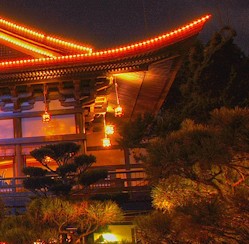
The three-tiered, circular Hall of Prayer for Good Harvest is a one-half scale reproduction of its counterpart inside the Temple of Heaven complex near Beijing. Disney’s version of this beautiful temple serves as the entrance to Reflections of China, a 360 degree CircleVision movie.

With a telephoto lens I was able to zoom in close to pick up the detail on the outside of the building and create an unusual composition of this pavilion. The late afternoon sun really helped to give it a nice golden glow.

This week’s bragging rights go to Evelyn Cowdell, who was the first to send in the correct answer to challenge #36. Nice going Evelyn!

Congratulations to all the readers who knew the answer to this past week’s contest and sent it in before the end of Thursday: Lisa, Jessica, Colleen Gaudette, Sara Clemenson, George Zeimbekakis, Jami Kliethermes, Jennifer Schwing, Mike Venere, Bruce Lawson, Tara Lenharth, Mike Kaczanowski, Meridith Yeoman, Luis Rodriguez, Maureen U, Kevin Toomey, Doug Armstrong, Allison Dibiase, Barclay Bakkum, Lacy Gerrard, Jennifer Tremley, Carissa Totleben, Wendy May, Matt Naldzin, Tom Higbee, Sarah Phipps, Richard Nussbaum, Ed Nawrocki, Sherri Pell, Patricia Auger, Renee Soderberg, Melissa Demonbreun, Christina Rotella, Sharon Dale, Kim Watson, Kristen Chrzanowski, Jarrod Babel, Aaron Hale, Sara Lewis, Chris Bertelmann, Nick Straka, Alan Lichtman, Renee Hardiman, Heather Timko, Angela Brown, Wendy Cacka, Michael Gainey, Jen Campbell, Marie H, Jude Toups, Amy Miller, Brian Gallant, Jared Orth, Megan Stallings, Heather Young, Trish Babler, Sharon Lee, Noreen Rachuba, Melissa Hallenbeck, Ann Fowler, Karen Desantis, Dawn Bach, Kelley H, Jennifer Horst, Jerrimy Patzke, Gloria Martin, Anjanette Tournillon, Dan Record, Sherry Klinefelter, Garland Cox, Trygve Cumpston, Shannon Milair, Bill Androckitis Jr., John Dupre, Maci Schau, Amy Schweizer, Amy and Eli Young, and Pollyanna Buff. Each of you were entered in the April winners’ drawing.

It’s time again for another monthly winners’ drawing. This month’s prize is a copy of PassPorter's Walt Disney World, as well as some AllEars gifts. There were 290 correct answers this month, but unfortunately, there can only be one winner. Tina Lefante was randomly chosen to receive April’s prize package. Congratulations Tina!
_______________________________________________________________________

Challenge #37: Where in the world is this?

 Where in the World #37

Do you know? Do you have a guess? Send in your answer, before the end of the day on Thursday, by clicking HERE!
_______________________________________________________________________

Everyone who sends in a correct answer to a Where in the World Challenge this month will be entered in a drawing at the end of the month for some special AllEars® goodies and a copy of PassPorter's Walt Disney World by Jennifer Marx, Dave Marx, Allison Cerel Marx!

May 3, 2008

Where in the World? #39

Focus on Disney World by Barrie Brewer

This was Challenge #38:
 Where in the World #38

And here's the answer:
Mexico Pavilion Epcot
Copyright © 2007 Barrie Brewer, Nikon D50, 18-200VR, 1/5s shutter, f3.5

You’ll find this fountain in the marketplace of the Mexico Pavilion in Epcot’s World Showcase. Mexico is a great place to get beautiful, colorful photographs. Because it is so dark, you have to be extra careful to keep your camera steady. For this shot I balanced the camera on the ledge at the entrance to the pavilion.

John Agnew was the first to send in the correct answer this week. Congratulations John!

Congratulations to all the readers who knew the answer to this past week’s contest and sent it in before the end of Thursday: Jennie K, Nancy, John Pasqueralli, Kevin Toomey, Gary E Genteman, Esther Muldur, Stephanie Visco, Chris Kotcamp, Mary Dannahey, Kelli Vanil, Kelley H, Reynic Compton, Amy Smith, Ramona Gaylor, Jennifer Schwing, Jennifer Bogdan, Heather Coursen, Monica Guerra, Jamie Hammond, Julie Mcclure, Renie Mistretta, Jillian Hoffman, Shana Wilson, Carinne Kight, Barclay Bakkum, Tammra Daugherty, Richard Ouellette, Melissa Olson, Julie Williams, Sara Stanfield, Emily Nussbaum, Amy C, Roye Ann Morris, Maria Rubi, Cheryl Lemmy, Martha Vance, Margaret West, Jorge Caso, Betsey Pickard, Angie Young, Sara Lewis, Debra Moscara, Alan Lichtman, Caitlin Blaney, Ana Marlett, Carrie Mcgugin, Patty Sindone, Sarah Bajek, Eric King, Sharon Dale, Lisa, Jennifer, Lisa Stamey, Michael Ciarrocchi, Brenda Double, Anjanette Tournillon, Susan Kolmetz, Jennifer Tremley, Karen Schlumpf, Katarina Whitmarsh, Denise, Marie, Kye Layton, Wendy Snelgrove, Jullie Petrie, Ashley Salters, Becky Myers, David Lizewski, Sherrytrapp, Laura Pranaitis, Emily Rennie, Vincent Maltese, Rob Stewart, Margaret Vattes, Patrick Albrecht, Sarah Smee, Catherine Chiarello, Mike Fisk, Tamara Gary, Mrs. Mumpower's Class, Kim Peters, Lisa Honard, Susan Williams, Karen Dresser-Smith, Stuart Hale, Sabrina, Sharon Lee, Julie Fahrner, Heather Timko, Julie Ellis, Anderson Dun, Jeremy Hardy, Bryan Timko, Trish Babler, Ann Carr, Jen Campbell, Sara Clemenson, Jeff Christiansen, Michael Gainey, Shirley Mclaughlin, Hollie Hinton, Josh Rohrbach, Brenda Strohmeyer, Monica Hatch, Donna Ports, Abbey Williams, Emily Russo, Danusia Rogacki, Jeff Schoeling, Cindy, Heidi Summers, Vicki Vaught, Susan Pitts, Elizabeth Akerley, Patty Carty, Kendall Huffman, Derek Carty, Garland Cox, Robin Fitts, Dave Cole, Rebecca Payne, Tim Rachuba, Rose Guarracino, Shannon Milair, Judy Koslowski, Chloe' C, Christine Dagney, Kevin Scharf, Becky Terjung, Luis Rodriguez, Chris Bertelmann, Jennifer Cox, Aaron Hale, Patty Lue Roosa, Mike Kaczanowski, Brian Haas, Scott Cullen, Belicia Dawson, John Dupre, Austin O'Blenis, Deb Staples, Damon Carter, Sherry Klinefelter, Nicole, Erin Hammer, Holley Blyler, Brandy White, Evelyn Cowdell, Brian Gallant, Anne Hainsworth, Richard Uhler, Ed Aleszczyk, Katie Wetzel, Heather Young, Jude Toups, Sandra Shaw, Caryn Schill, Melody Salemi, Erica Sipich, Brittany Irish, Jacquelyn Law , Maryann Eckenrode and Nora . Each of you will be entered in the May winners’ drawing.
_______________________________________________________________________

Challenge #39: Where in the world is this?

 Where in the World #39

Do you know? Do you have a guess? Send in your answer, before the end of the day on Thursday, by clicking HERE!
_______________________________________________________________________

Everyone who sends in a correct answer to a Where in the World Challenge this month will be entered in a drawing at the end of the month for some special AllEars® goodies and a copy of PassPorter's Walt Disney World by Jennifer Marx, Dave Marx, Allison Cerel Marx!

May 9, 2008

S is for Speed Control

Photographic Innoventions by Scott Thomas

On to top of your digital SLR or advanced Point & Shoot cameras is a Mode Dial. On this dial you will find the main shooting modes to let you take more creative control of your photography. Below is a list with a short decription for each one. For more detailed information, consult your camera's manual.

AUTO or A-DEP - this is an SLR's version of a Point & Shoot mode. It will calculate your exposure for you including the ISO, metering mode, aperture and shutter speed (this may vary by manufacturer).

P for Program - calculates the aperture and shutter speed given the camera's settings for ISO, metering mode, and white balance (this may vary by manufacturer).

S or Tv for Shutter Priority - you set the shutter speed manually and the aperture is calculated for you given the camera's settings for ISO, metering mode, and white balance (this may vary by manufacturer).

A or Av for Aperture Priority - you set the aperture or f-stop manually and the shutter speed is calculated for you given the camera's settings for ISO, metering mode, and white balance (this may vary by manufacturer).

M for Manual - you set both the aperture and shutter speed and take full manual control of all the camera settings. You have to be careful here as some other settings may or may not be affected. Check your camera's manual.

With that little primer finished, I'm going to start with the Shutter Priority (S) Mode and continue a series of entries over the next few weeks to cover the rest. Let's climb right into how to use the S-Mode by looking at this photo from Epcot's Canadian pavilion featuring the Rocky Mountains with a very tall waterfall.

Rocky Mountain waterfall in Epcot's Canadian pavilion, Walt Disney World, Orlando, Florida
Rocky Mountain waterfall in Epcot's Canadian pavilion.
Nikon D70/18-200VR, 1/30s, f/18, 200 ISO, -0.3 EV, 28mm Focal Length

I took a few images of this beautiful scene with the late day light striking the top of the mountains and the waterfall cascading down the mountain side. For the first ones, I was in P or Program mode and it kept selecting shutter speeds which froze the water. Made the water look very static and uninteresting. Often when taking pictures of moving objects, like water, you want to show it's motion. The best way to do that is to use a slow shutter speed.

To get the effect you see above, I turned the Mode Dial on my Nikon D70 to S putting it in Shutter Priority mode. I now had control of the shutter speed by turning the command dial (this may be different for your camera so check your manual. Sound like a broken record, don't I?). I took photographs at shutter speeds of 1/60, 1/30, and 1/15 of a second. Each time the camera selected the aperture for me based on the other camera settings (refer to the Exif data below the photo).

I'm sure you have seen other waterfall photographs where even longer shutter speeds were used giving the water an even softer look. Those pictures were taken with shutter speeds over multiple seconds and require a tripod to keep the rest of scene in sharp focus. Something I didn't have with me during this visit to Walt Disney World.

If you are taking pictures of action scenes like the Indiana Jones Stunt Spectacular or Lights, Motors, Action! Extreme Stunt shows at Disney's Hollywood Studios, you may want to use a very fast shutter speed to freeze the action. I would start at 1/250 for Indy and 1/500 for Lights, Motors, Action!

For more on the use of shutter speeds, check out some of our past Picture This! entries:

Shutter Speeds and You

Mechanics of Exposure

May 12, 2008

July Disney Calendar

Focus on Disney World by Barrie Brewer

If you read my December 25, 2007 blog, you know that my holiday gift to you is that each month I will post a photo calendar page that you can print out and use at home or work during 2008.

Here's an unusual shot of Illuminations from inside the China Pavilion in Epcot's World Showcase. Generally, China is considered to be one of the worst places to view Illuminations from because there is an island in Showcase Lagoon that sits right between China and where Illuminations is staged.

However, when I was at MouseFest last year, I happened to be coming out of the China pavilion right when the fireworks started and I loved the silhouette of the arch against the fireworks. But, I didn't have my tripod with me. It was my last night in WDW so I had to wait until my next visit to photograph it. This is what I captured then.

I want to try it again though, because I don't think I was in just the right place. I'd like the arch to be more centered with fewer of the trees in the frame. Next time... it's always nice to have a reason to have to go back!


You will need to have Adobe Reader on your computer to download the calendar(s). Just click on the photo to download the calendar you want.


This one prints out at 8.5" x 11". It's handy if you need a calendar that you can write on.

July 2008 8.5x11 Calendar


This one prints out at 4.75" x 4.75", the perfect size for a CD Jewel Case frame.

July 2008 Jewel Case Calendar

June 10, 2008

Disney Pic of the Week: Butterfly Topiary

Photographic Innoventions by Scott Thomas

Barrie, Lisa and myself would like to welcome you to a new feature here on the Picture This! Photo Blog. One of the things you told us you wanted to see in the survey we conducted back in April was more theme park photography. In response, we are going to post three Disney Pic of the Week entries, one from each of us, every week. To add even more interest (we hope!), each week will have a theme for us to follow and subjects will not be limited to just Walt Disney World but any Disney property or event in the world.

I get the honor of introducing the first Disney Pic of the Week theme which is (drum roll, please)...Epcot's Flower & Garden Festival

Butterfly topiary at Epcot's Flower & Garden Festival, Walt Disney World, Orlando, Florida
Butterfly topiary at Epcot's Flower & Garden Festival.
Nikon D70/18-200VR, 1/60s, f/3.5, 200 ISO, -0.3 EV, 18mm Focal Length

This butterfly topiary was just outside the entrance to Minnie's Magnificent Butterfly Garden during Epcot's Flower & Garden Festival in 2007. It was very late in the day and I used my camera's onboard flash to add just a bit more light to bring out the colors of the topiary's flowers.

Oh, I almost forget. Disney Pic of the Week's will be published on Tuesday, Thursday and Saturday.

June 14, 2008

Year of the Monkey

Focus on Disney World by Barrie Brewer


Epcot Flower and Garden Festival Chinese Topiary
Copyright © 2007 Barrie Brewer, Nikon D50, 18-200VR, 1/400s shutter, f5.3

The China Pavilion in Epcot celebrates the Flower and Garden Festival with a display of Chinese Zodiac topiaries. My Pic of the Week is a topiary depicting the year of the monkey. If you were born in 1920, 1932, 1944, 1956, 1968, 1980, 1992 or 2004 you’re a monkey person!

June 16, 2008

August Disney Calendar

Focus on Disney World by Barrie Brewer

If you read my December 25, 2007 blog, you know that my holiday gift to you is that each month I will post a photo calendar page that you can print out and use at home or work during 2008.

I thought a photo from the Mexico pavilion in Epcot's World Showcase was a good fit for August, usually the hottest month of the year here in the states. Can't you just feel the balmy breeze of a warm summer evening when you look at this scene? Hmm... margarita anyone?

You will need to have Adobe Reader on your computer to download the calendar(s). Just click on the photo to download the calendar you want.


This one prints out at 8.5" x 11". It's handy if you need a calendar that you can write on.

July 2008 8.5x11 Calendar


This one prints out at 4.75" x 4.75", the perfect size for a CD Jewel Case frame.

July 2008 Jewel Case Calendar


Click here to see all of the calendars from past months.

June 18, 2008

Canon's Color Accent

Light Meter by Lisa K. Berton

I dedicate this blog to all my fellow Canon peeps. :secret handshake:

Camera companies are always competing in the sense that one brand's cameras can do something that another's doesn't. One of Canon's specialties is Color Accent. You'll find it in the SD750, SD890 IS, SD 1100 IS, S5 IS, and the G9 just to name a few.

I borrowed my neighbors' Canon Powershot S5 IS (the same camera that Deb Wills shoots with) for my latest Walt Disney World adventure. I can tell you that I already knew I wanted this camera before I even borrowed it. The S5 IS is in high demand everywhere, actually, so if you can find one, buy it.

What Color Accent does it it lets you pick out a single color from those in your picture, before you take it. The remainder of the image will turn black and white with the possible exception of green, which is the default color.

Here's how it works on the Canon Powershot S5 IS.

1. Turn the Mode Dial to SCN (Scene).

2. Press the control pad's right side until you see the icon for Color Accent. icon_color_accent.gif

3. Press the button for ISO.

4. The liquid crystal display (LCD) will show you a bar at the bottom and inside a box, the selected color to retain. The featured color will be the last one you used or it'll be green by default if you haven't used this setting before.

5. Point your camera at the color you want the camera to keep. Make sure that color is in the center of your frame. Now press the left side of the control pad.

6. Press the ISO button again to lock in your selected color.

7. Now take your picture.

Important note: Let's say you aim yo